How it works
A short guide to finding your way around the garden. Take whatever time you need — there is no hurry.
Moving around
When you open mindelund, you see the island from above. You can drag to move around and scroll to zoom in or out, to come closer or take in the whole view. A small map in the corner shows where you are.
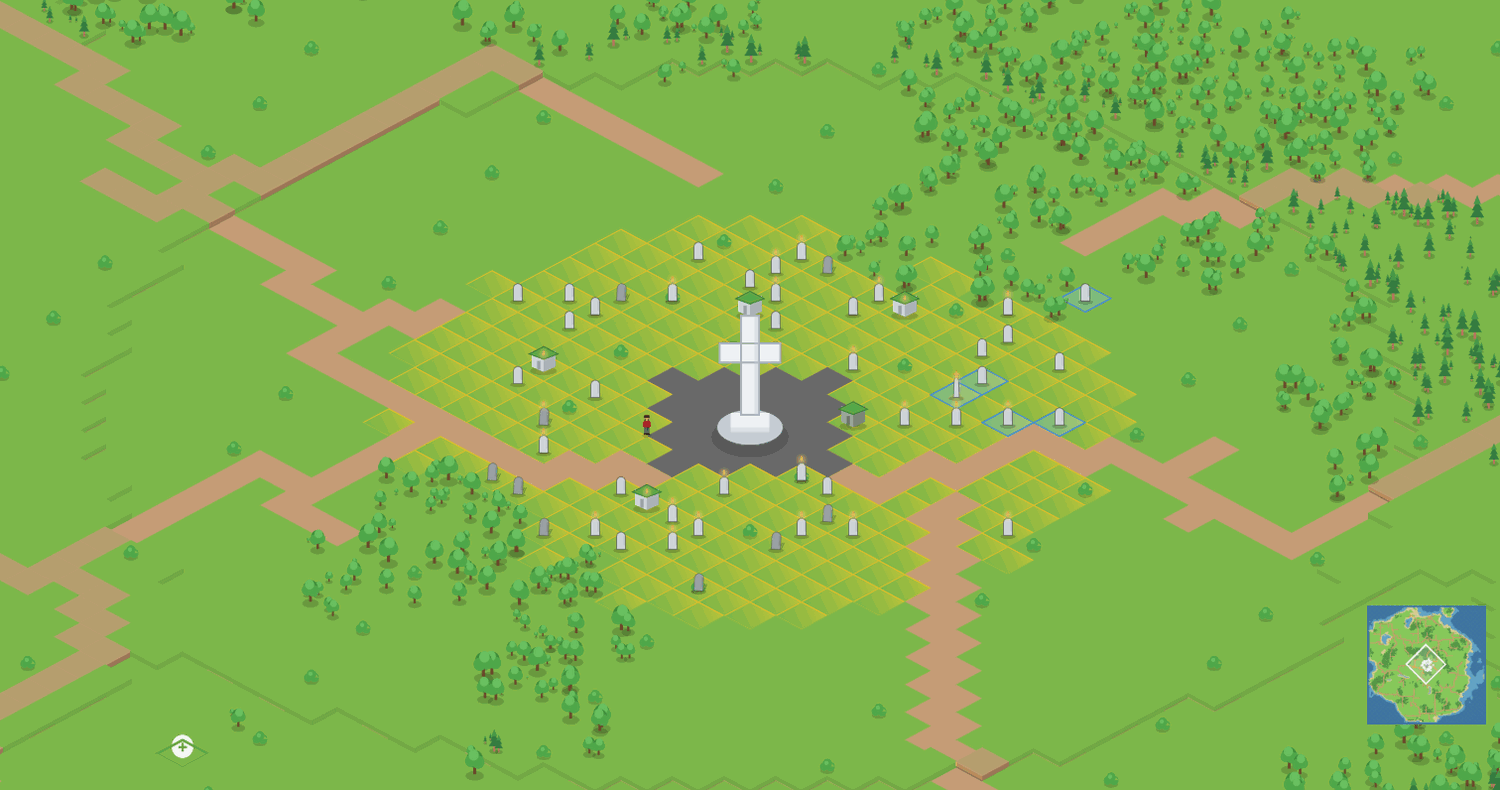
The island has several areas — quiet quarters, each with its own large cross at the centre. You are free to choose wherever your friend's memory should stand.
Creating a memory
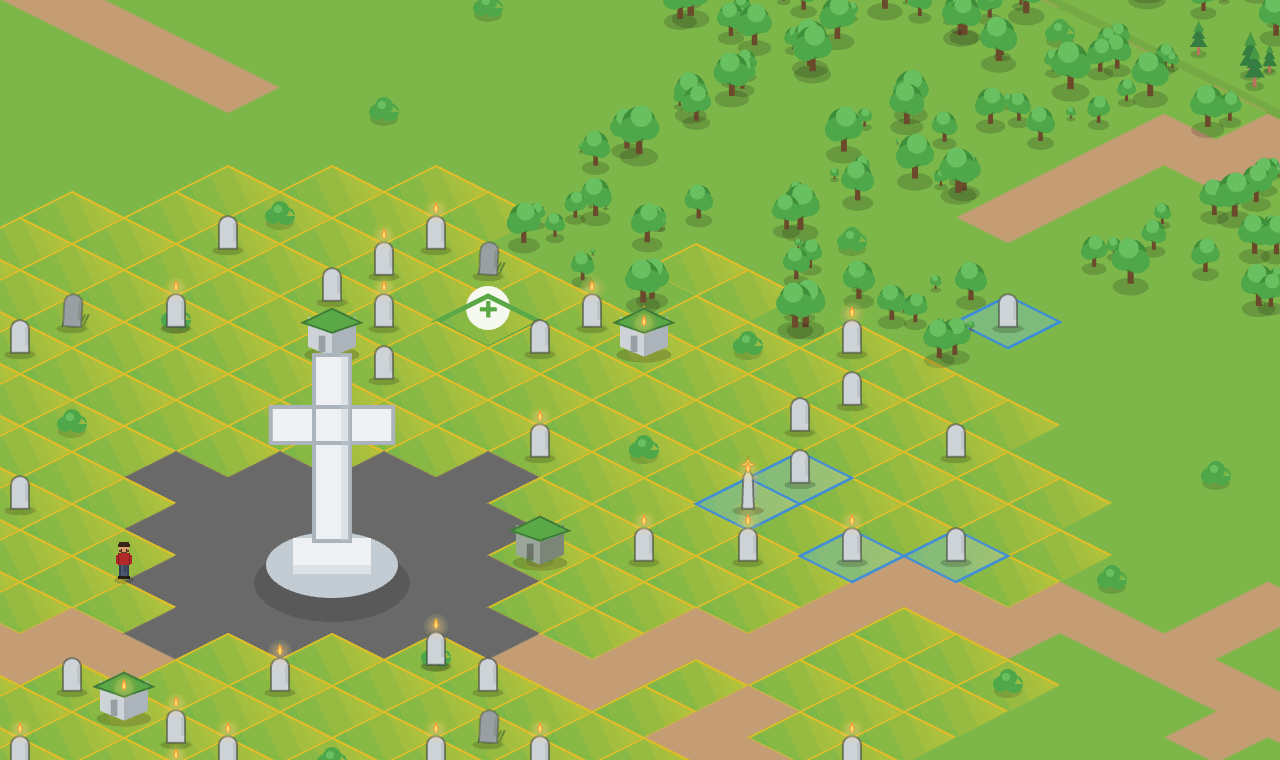
1. Find a green spot — grass or woodland, not road or water. When you hover over a free plot, a small + appears.
2. Click to begin. A short three-step guide opens.
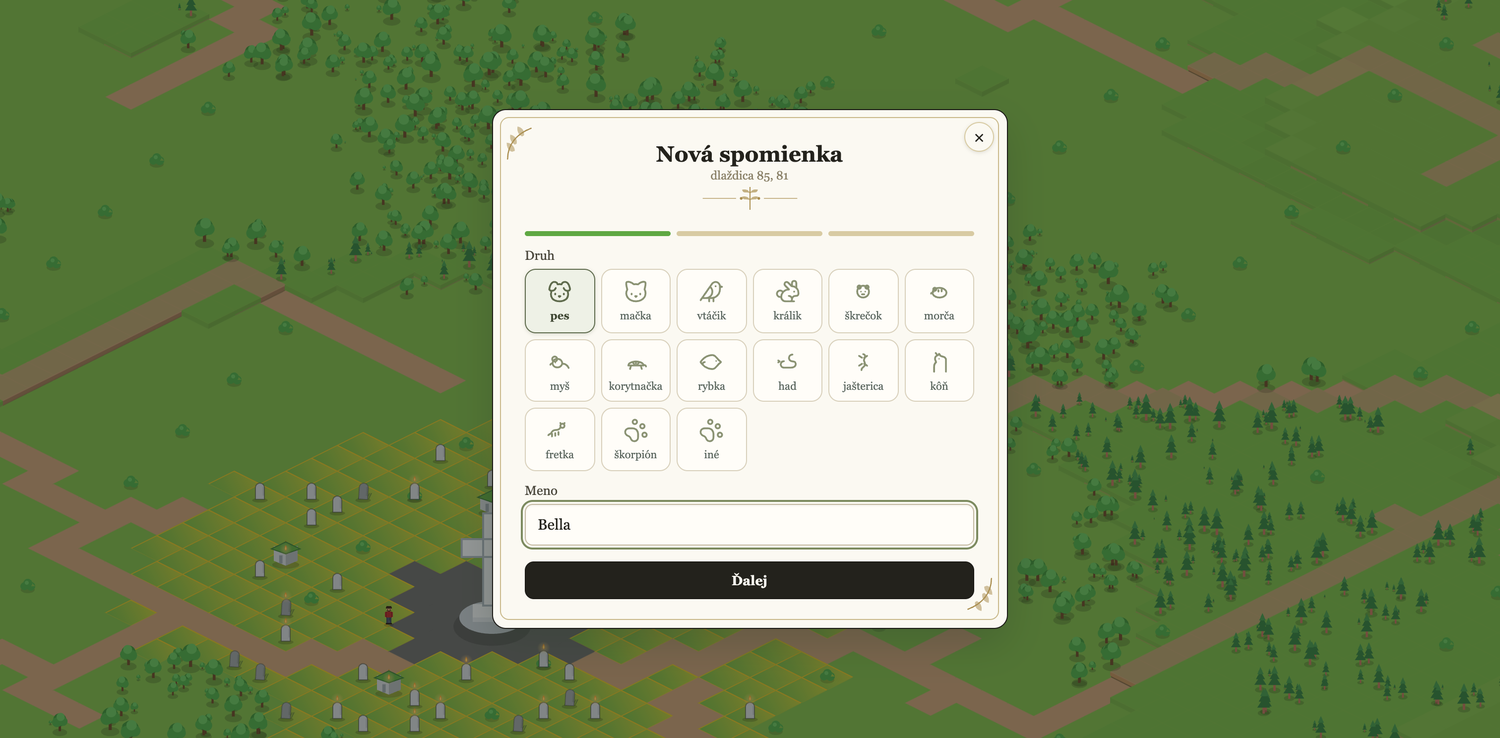
- Step 1 — Who. Choose the kind of animal and write the name.
- Step 2 — The story. Add the birth and farewell dates and a few words — an epitaph, a memory, whatever you wish to keep.
- Step 3 — The memorial. Choose how the memory should look. You will see a preview before you confirm.
3. Confirm. The memory is planted on the spot you chose.
> Names never appear out on the map. They live only on the memorial card (when you hover) and in the detail view. This is deliberate — the garden is meant to feel calm.
Choosing a memorial
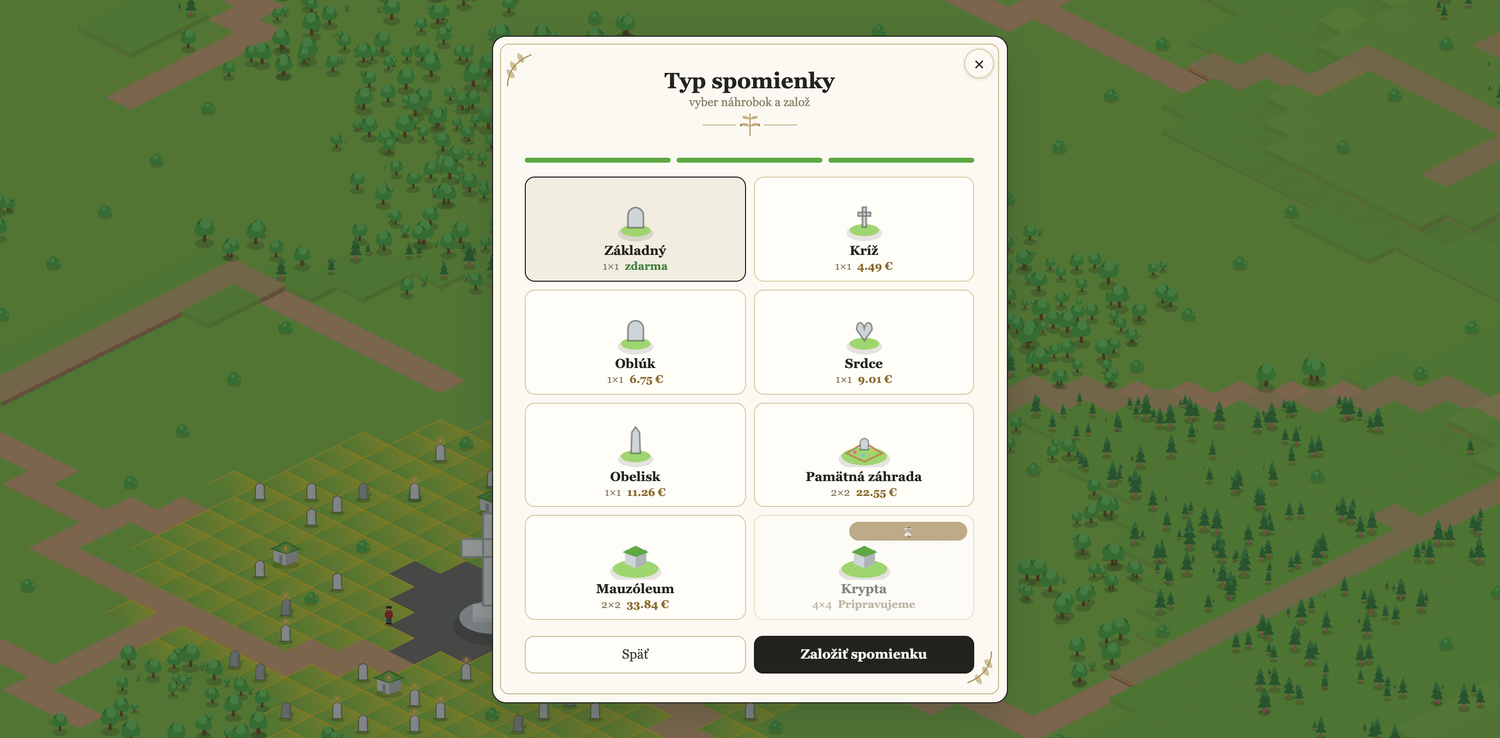
There are several kinds of memorial to choose from. The simplest is free. Others — a cross, an arch, a heart, an obelisk, or a larger memorial garden — carry a small, symbolic contribution. Choose the one that feels right. A simple memory is worth just as much as a grand one.
Lighting a candle
Click a memory to open it. Inside the detail view you can light a candle. The candle glows for a while and tells others that someone has been here and thought of the animal. Lighting a candle requires signing in — so every little flame quietly carries the signature of the person who remembered.
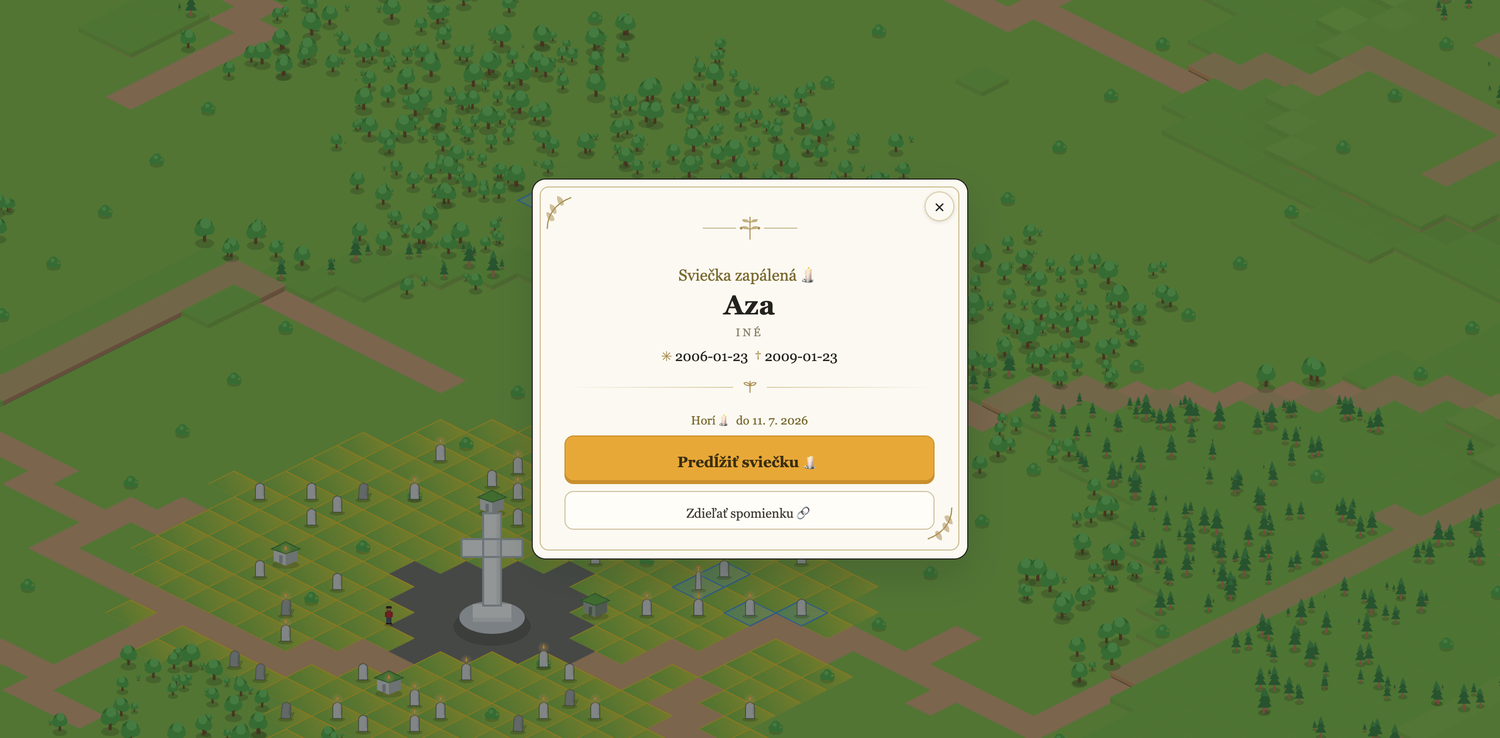
You are welcome to light a candle for a stranger's pet. It is a small, kind gesture — and it means more than one might think. And if you wish the light to last longer, the detail view also offers a long candle — it burns for a full 30 days, for a small symbolic contribution.
Leaving a message
In a memory's detail view you will find a guest book. You can write a short message — even without an account — all it takes is some text and an email address. The message is published only after you confirm by email that it is really yours; it is signed with your initials alone, and we never publish your email address.
The same email also contains a "delete my message" link. It works permanently and without signing in — so you can remove your message at any time.
If the memory is yours
You have full control over the messages on your own memory. You can hide any message, and you can turn the guest book off entirely on your memory — even before the first message arrives. When someone leaves a message on your memory, we let you know by email (at most once a day; notifications can be turned off in Settings).
What is a plot?
A plot is the patch of ground a memory stands on. Closer to the centre of the island, plots are more sought after; further out, the space is more open and quiet. You decide what suits you.
Returning
A memory left unvisited for a long time slowly begins to grow over — moss, a little weeds, a candle gone out. It is not a punishment, just the way of nature. A single lit candle settles it all again, and the memory is as good as new. A candle from a stranger counts too. This is how the garden tends itself — with a little help from all of us.